


Bonuskong Login and Account Access
Your Bonuskong login opens a personal profile with your balance, active offers and safety settings under one email and password. Bonus Kong keeps a single account for desktop and mobile browsers, so the same details work on every device you use in Canada.


Creating a Bonuskong Casino Account
An account unlocks real-money play and a wallet in Canadian dollars (CA$) from day one. Demo mode stays open to every visitor without registration, so you can learn a slot’s mechanics before you commit funds.
Once your profile at Bonuskong Casino is active, our promotions become available as well. The table shows what each new member receives:
| What You Get | How It Works |
| Real-money games | Bets from your CA$ balance |
| CA$ wallet | Deposits and withdrawals in Canadian dollars |
| Welcome package | Activates with your first deposits |
| First loyalty rank | Assigned at signup |
| Missions | Tasks that pay out platform currency |
| Activity history | Records of bets and payments |
| Limits | Personal deposit, loss and session caps |
Sign Up in Five Steps
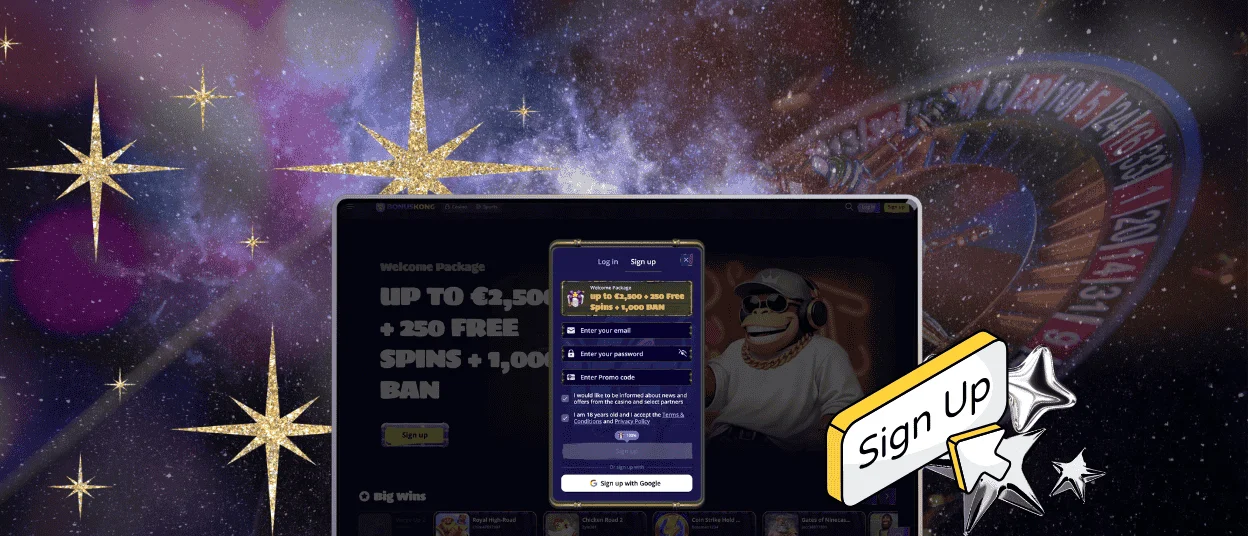
Registration starts with the “Sign up” button, which is available from the homepage and every other section of the site.
- Enter an email address you check regularly.
- Set a password for future sign-ins.
- Add a promo code if you have one. The basic welcome offer activates without it.
- Confirm that you have reached the age of 18 and accept the terms.
- Enter your name, date of birth and Canadian phone number (+1 and a 10-digit number), choose CA$ as the currency and press “Save”.
Sign-up requires no deposit and no document check. You can open the lobby as soon as you complete the last step.
Log In and Manage Your Bonus Kong Account
The Bonuskong login takes two fields: your registration email and your password. After you press “Log in”, the dashboard shows your current balance. If you use our PWA on a phone, you sign in with the same credentials.
The wallet at Bonuskong Casino stores your payment methods and shows real-money and bonus funds separately. Activity history lists past bets, transactions and used bonuses for any period you choose. Profile settings hold your personal data and the option to change your email. You can also set a session cap and other limits there. On a personal device, you can save your login details for faster access, and any titles you add to favourites stay in your profile.
Common Login Problems and Quick Fixes
Compare a failed Bonuskong login with the cases below. Each one has a fast solution.
| Problem | Likely Cause | Quick Fix |
| Password rejected | Caps Lock or a typo | Retype with Caps Lock off |
| Old details in the form | Browser autofill | Clear saved credentials |
| Authenticator code fails | Expired code or phone clock out of sync | Sync the time and enter a new code |
| Access blocked | VPN or a location outside permitted regions | Disable the VPN and connect from Canada |
| Account locked | Duplicate profiles | Contact support to keep one account |
If the problem continues, our support team is ready to help in live chat at any hour. The site also offers multilingual support if you prefer another language.
How to Reset Your Password
A reset goes through your registration email, so a valid address at signup is essential.
- Select “Forgot password?” on the sign-in form.
- Enter your registered email.
- Open the link we send and create a new password.
If the message does not arrive, check your spam folder. An expired link is simple to replace. Request a new one through the same form, then complete your Bonuskong login with the updated password.
Keeping Your Account Safe
Two-factor authentication adds a temporary code from an authenticator app to each sign-in. Access then requires both your password and that code. Profile settings let you switch this protection on and pick a new password whenever you like.
When you play on a computer that other people share, sign out before you leave it and turn off browser autofill for credentials. Transport Layer Security version 1.3 encrypts every connection to our platform, which keeps your sign-in details private. The rules of Bonus Kong Casino allow one account per household, IP address and device.
Verification at Bonuskong Casino
At Bonuskong Casino, every player confirms their identity before they request their first payout. The verification process takes a few uploads in your profile. Canadian players can submit these documents:
- Identity: a provincial driver’s licence, a Canadian passport or a provincial photo ID card.
- Address: a Hydro-Québec or BC Hydro utility bill, or an RBC or TD bank statement, issued within the last six months.
- Payment: a card photo with the middle digits covered, or a screenshot of your e-wallet account.
We protect the upload field with 256-bit encryption and review the files within 48 hours. After the check, we notify you of the result, and your profile shows its new status.
How to Close Your Account
You can request account closure or the deletion of your personal data by contacting the Bonuskong Casino team through live chat or email. Withdraw your remaining balance first, so the funds reach your payment method before the account closes.
To take a break and keep the account, use the responsible gaming tools at Bonus Kong. Caps on top-ups and session length are available in your profile, along with a temporary time-out from play.
FAQ
Can I change the phone number or country linked to my Bonuskong account?
Our support team updates both details on request. The team checks the change against your profile data first.
Can I use the same Bonuskong login for casino games and the sportsbook?
One profile serves the casino lobby and the sportsbook alike. After you sign in, the sportsbook opens from the menu, and no second registration is needed.
Does logging in from a new device or while travelling outside Canada trigger extra security checks?
With two-factor protection active, each new device asks for a code from your authenticator app. Real-money access abroad depends on local rules, because we serve only regions where online gambling is permitted.
Is a promo code necessary to complete Bonuskong registration?
The promo code field is optional. The basic welcome offer applies to your first qualifying deposit without a code.


